 LIVE
LIVEWorking bay
How busy the bays are and the current queue.
rtsp.me converts the stream of an existing IP camera into video for the browser. The customer can judge the situation at the entrance in advance, while the owner sees how busy the bays are and how several sites are running.
At the peak of the seasonal tire change, a clear wide shot reduces uncertainty and unnecessary phone calls. The camera shows the current situation but promises no particular service time: taking bookings and working out the queue remain the job of the business's own website or management system.
Connect tire service camerasA visitor can see how long the visible queue is, whether the entrance is clear and whether there are cars at the bays. That helps them choose when to drive over, rather than relying on an old photograph or a rough estimate over the phone.
The manager gets an at-a-glance view of every site: whether it actually opened, how fast cars are moving through, how busy the equipment is and what condition the yard is in. For a chain, it is a quick way to compare demand and send staff where they are needed most.
An IP camera that is already installed can be used if it delivers a stable RTSP stream. For a public page, choose a separate wide field of view covering the entrance or the waiting area; cameras on the till, the store room and internal operations stay private.
There is no need to replace the recorder, buy a capture card or keep a computer running streaming software. What you need is a compatible stream, a reliable network and enough upload bandwidth. The quality of the result is limited by the resolution, the light and the position of the original camera.
Once it is running, check how it looks in a mobile browser and add the current opening hours alongside it, together with a note that the visible queue is not the same as a guaranteed waiting time.
A public stream should answer the customer's simple question about the situation on site. Detailed production and security fields of view are meant only for authorized staff.
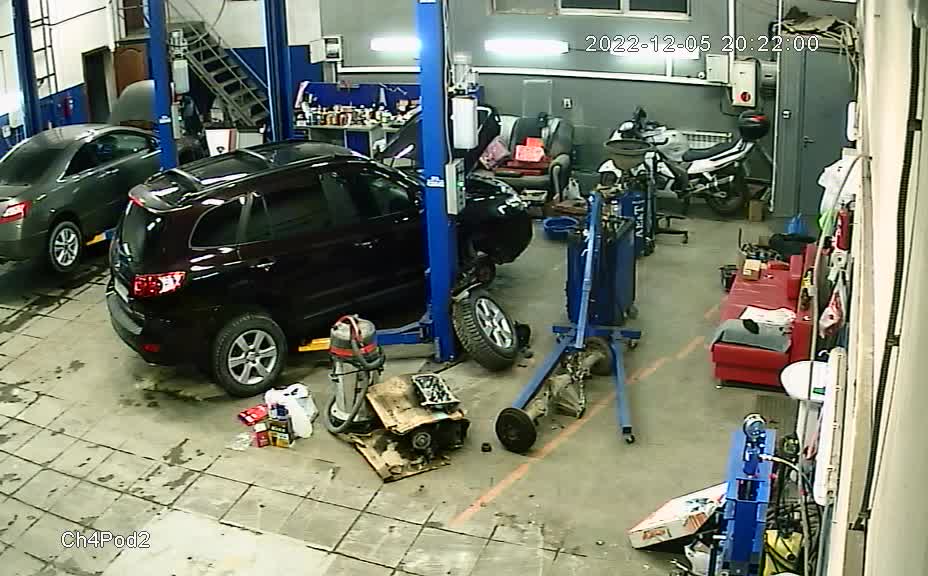
A live wide shot of a bay shows how busy the lifts are and how long the queue is during the tire change season.
LIVEHow busy the bays are and the current queue.
The archive lets you go back to the visible movement of the queue, the time a vehicle arrived and the state of the yard. Access and the retention period are set in proportion to the purpose, and the recording is used alongside orders and logs rather than instead of them.
rtsp.me monitoring reports when a stream disappears. It helps you spot a power or network failure sooner, but it does not diagnose tire service equipment and cannot recover a missing stretch of recording.
Put up notices about video surveillance and comply with the applicable requirements. Do not publish readable number plates in close-up, faces, documents, payment transactions or neighboring private property; where there is any doubt, public access should be replaced by private access.
Connect an existing camera and give customers a genuinely useful wide view of the queue, with no separate media server.
Bring the working bays and branches together for the manager, and set up the archive, signal monitoring and separate access levels.
Connect a tire service