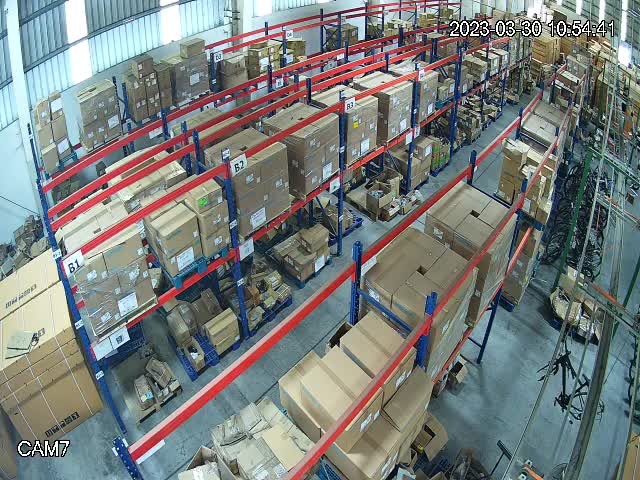
 LIVE
LIVELoading area
The current situation on the loading bay and in the dispatch area.
rtsp.me brings together the streams of your existing IP cameras and opens them in a browser. A dispatcher or a manager can quickly see the queue, whether a dock is free and the general situation at a remote site.
The cloud archive helps you reconstruct the visible sequence of operations, and signal oversight cuts the time a camera sits down unnoticed. Video complements TMS, WMS and telematics without standing in for their data or for the decisions your staff make.
Connect terminal camerasCameras show the actual queue at the gatehouse, how busy the waiting area is and the visible situation at the gates. That context helps a dispatcher put a sharper question to the site and agree on an action sooner.
When you are working through a delay, the video is matched against slots, vehicle tracks, scans and documents. A single field of view does not establish the cause of a hold-up and does not confirm what a load contains.
A camera's accessible RTSP stream can be added to rtsp.me while your local system stays in place. H.264 and H.265 are supported; a substream is often chosen for remote viewing.
Check the time, the network and the field of view. Keep consignment notes, markings on sensitive cargo, dispatch system screens and parts of protected infrastructure out of the shot.
The service is designed for a single terminal and for a distributed network alike.
Decide on the cameras, the people responsible and the access mode you will allow.
Once it is live, check mobile viewing and the plan for reacting to a loss of signal.
Practical fields of view include:
A camera does not determine a safe manoeuvring path and does not replace a banksman or the traffic rules.
A live wide shot of the loading bay shows whether the gates are in use and how loading is progressing, without a call to the warehouse.
LIVEThe current situation on the loading bay and in the dispatch area.
A single naming scheme helps you move from a terminal to a dock quickly. Central dispatch gets visual context for the site's reports and the TMS data, without using video to intervene in the control of equipment.
Operational streams are closed off with a password or a domain. A public view of the queue is possible only for a specially chosen, anonymized field of view with no cargo or personal data in it.
The cloud archive helps you check the visible time of arrival, the start of service and the release of a dock. Match the recording against system records, bearing clock synchronization in mind.
rtsp.me notifies you when a stream is lost. That helps you start diagnostics, but it does not track GPS, contact with the driver or the status of a run.
The archive and the links are available to the smallest possible group of staff. Fields of view do not reveal documents, seal numbers, the contents of valuable cargo, screens or security arrangements; the established procedure for giving notice of CCTV applies.
Video does not replace TMS, WMS, GPS telematics, access control, weighing equipment, fire systems, occupational safety, drivers or dispatchers. It does not automate dock allocation and it does not guarantee that manoeuvres are safe.
Connect the existing cameras at your terminals, docks and entrances for viewing in a browser, a cloud archive and signal alerts.
Give dispatchers timely visual context while keeping TMS, WMS, telematics and professional judgement as the basis for managing transport.
Set up logistics cameras