 LIVE
LIVECampground grounds
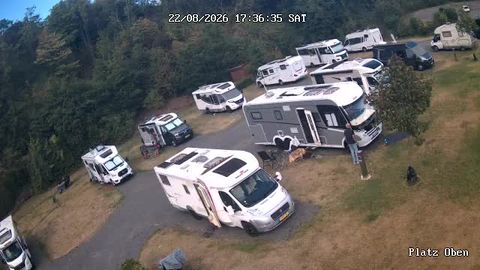
A current wide view of the site and its surroundings before the trip.
A live panorama helps a guest judge the landscape, the visible weather and the state of the open areas before setting off.
rtsp.me delivers the stream of an existing IP camera to the browser and to your website, with no separate media server.
Connect a campground cameraA stream confirms how close you are to the forest, the mountains or the water, and conveys the mood of a place far better than a still photograph.
The player complements the accommodation details and the booking form, which the site's own website handles.
Private streams can be shared with staff across several locations.
What you show publicly is the space, not your guests' private life.
Tents, cabin interiors, sanitary and private areas are excluded.
A live view of the grounds and the surrounding nature helps guests judge the conditions before they arrive.
LIVEA current wide view of the site and its surroundings before the trip.
The service brings the site's cameras together.
Check the RTSP stream and a safe angle.
The video opens in any modern browser.
A live view makes a natural setting convincing and helps guests plan what to wear and when to arrive.
The link is easy to share before arrival and on social media.
Availability and service orders are confirmed by the campground's own system.
The archive keeps the period you choose so you can review events within the camera's field of view.
rtsp.me notifies you if the signal is lost.
Retention and access are decided by the management.
Cameras are not pointed at tents, windows, sanitary or private areas.
The site is responsible for notices and for the lawfulness of recording.
Connect an existing RTSP camera and put a panorama of the grounds on your website.
Give guests a current visual reference and keep an eye on the signal.
Create a campground stream