LIVE
TEE / HD
Tee area
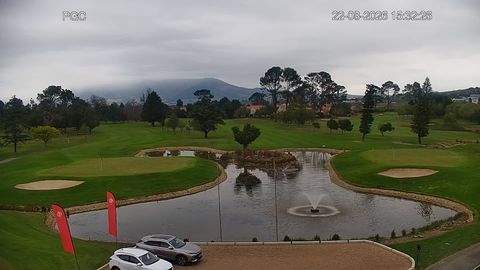
The first impression of the course and how busy the club is
Live streams help a golf club attract new players, demonstrate the quality of the course and turn a website visitor's interest into a booking.
rtsp.me delivers video from existing RTSP cameras to the browser, with no media server of your own and no separate app.
Connect course camerasA beautiful course is better seen than described. An online camera shows the real views of the club, well-kept fairways, greens and the atmosphere of the course at this very moment.
Place the stream next to your tee time booking button, the tournament calendar or the green fee page. A visitor pictures the round ahead more easily and gains one more reason to come.
Out of season, cameras help you show course preparation and keep regular guests informed about its current condition.
Several cameras give a guest a fuller picture: the tee, the main playing distance and the state of the green. Each stream can sit on its own page or be gathered into a single online showcase for the club.
The first impression of the course and how busy the club is
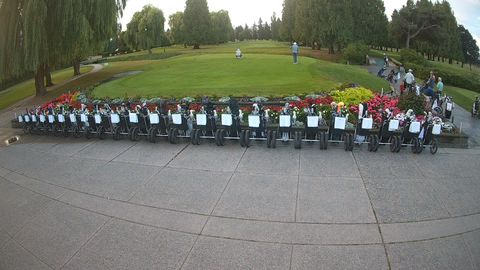
A wide view of the playing area, the light and visibility
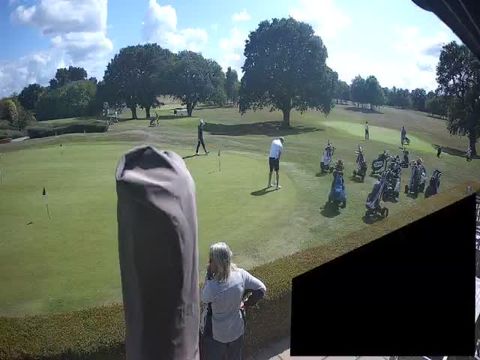
The condition of the surface, rainfall and the current situation
A camera lets you see rain, fog, cloud, visibility, light and standing water on the course for yourself. That is especially useful when the weather in town differs noticeably from the weather outside it.
The stream can be complemented with data from a local weather station: temperature, wind speed, humidity and rainfall.
Video does not replace the official forecast or the greenkeeper's decision. It is worth publishing the current course status, any restrictions and the club's booking rules next to the player.
Fields of view are chosen according to the layout of the course, the facilities and the club's goals:
For a public stream, wide shots are preferable — without close, recognizable images of players, without service areas and without payment information.
The service combines public promotion of the club with convenient technical oversight of the cameras.
You can use outdoor IP cameras that are already installed, provided they deliver an available RTSP stream. For a new field of view, choose equipment with suitable weather protection and temperature range.
Public cameras show attractive panoramas, the weather and the life of the club. Links to the streams are easy to share on social media, in newsletters and in tournament announcements.
Private fields of view help you assess the condition of key areas remotely, check that machinery is working and see the situation before opening. Access can be limited with a password or an allowed domain.
Before launching a stream, the club should define its video surveillance rules, put up notices and comply with the applicable data processing requirements. Cameras must not interfere with play or reveal internal information.
Add live panoramas, several playing fields of view and the real weather picture to your website.
Connect your existing RTSP cameras and turn a viewing into the next round on the course.
Connect golf club cameras