Live airport streams
Take-offs, landings, terminals and weather in real time — from international hubs to small airfields
An airport never stops, not even for a minute. A camera with a well-chosen wide shot shows aircraft on the move, work on the apron, changing weather and the atmosphere of travel. Aviation enthusiasts, future passengers, city residents and viewers from all over the world enjoy streams like these.
rtsp.me takes the stream from an existing IP camera and turns it into online video for an airport website, a tourism portal or a dedicated streaming page.
Start a stream from your airport
Take-offs and landings people want to watch
An aircraft accelerating down the runway, touching down, taxiing and being prepared for the next flight creates a natural, uninterrupted storyline. Even an ordinary working day at an airport becomes a live broadcast that viewers come back to again and again.
Rare aircraft, difficult weather, evening lighting, seasonal charters and periods of heavy traffic are especially interesting. A stream helps an airport build an audience of its own and show the site from an open, appealing side.
A public field of view must be agreed in advance with the airport management and the responsible services. The camera must not reveal restricted areas, security procedures, internal documents or personal data.
For airports of any size
Large international airports
Several cameras can cover different directions: a general panorama of the airfield, the runway, the terminal facade and the public forecourt. The streams are easy to gather on a single page and split by terminal or by field of view.
Regional and small airports
One well-positioned camera makes an airport more visible, shows the actual weather and keeps interest in regional aviation alive. The solution also suits flying clubs, training airfields and landing strips, provided safety requirements are met.
Tourist destinations
A view of the terminal, the mountains, the sea or the city next to the runway becomes part of the image of the place. Future passengers see the conditions in advance, and a tourism website gains living content instead of a static photograph.
Weather and visible traffic levels
A camera helps you judge cloud cover, precipitation, fog, the state of the visible surface and overall traffic intensity at a glance. Such a stream is useful to viewers meeting passengers, to aviation enthusiasts and to staff who need an overview of the public area.
A view of the access road, the parking lot or the terminal entrance can show queues and congestion at peak times. Operational decisions should rely only on the airport's official systems, weather reports and air traffic management data.
An online camera provides visual context, but it is not a source of aeronautical meteorological information, timetables, flight status or clearance to operate a flight.
What rtsp.me gives you
- Online 24/7Continuous streaming of take-offs, landings and airport life
- Several fields of viewRunway, apron, terminal facade and public area on one page
- Any scaleA solution for an international hub, a regional airport or a small airfield
- Any screenViewing in the browser on a computer, smartphone and tablet
- EmbeddingHTML player code for the website of an airport, a city or a tourism portal
- ArchiveCloud recording for publishing highlights and reviewing events internally
- MonitoringCamera availability checks and notifications if the signal is lost
- ProtectionPlayer embedding limited to allowed domains
How to start a stream
Begin with a single expressive and safe field of view. It should look good by day and by night, must not interfere with the work of airport services and must not reveal sensitive information.
- Agree the mounting position and the frame boundaries with the airport management and the security service.
- Choose a steady wide shot of the runway, the permitted part of the apron, the terminal facade or a public area.
- Install an IP camera protected against rain, wind, vibration and temperature swings.
- Obtain the RTSP link and check that the outbound internet connection is stable.
- Add the camera to rtsp.me and configure quality, archive and monitoring.
- Place the ready-made player on your website and test the stream on a computer and on mobile devices.
Airport IP camera → RTSP →
rtsp.me → airport website → viewers
Areas and use cases
- runway — take-offs, landings and taxiing from a safe distance;
- general panorama — weather, visibility and traffic intensity;
- terminal facade — the atmosphere of the airport and the flow of visitors without close-ups;
- forecourt — a visual sense of the access road and overall congestion;
- general aviation parking — life at a flying club or a regional airfield;
- tourist view — the airport against the city, the sea, the mountains or the surrounding landscape;
- several terminals — separate public streams for different parts of the complex.
For a public stream it is better to choose wide shots without recognizable faces, documents, screens, registration details or the specifics of operational procedures.
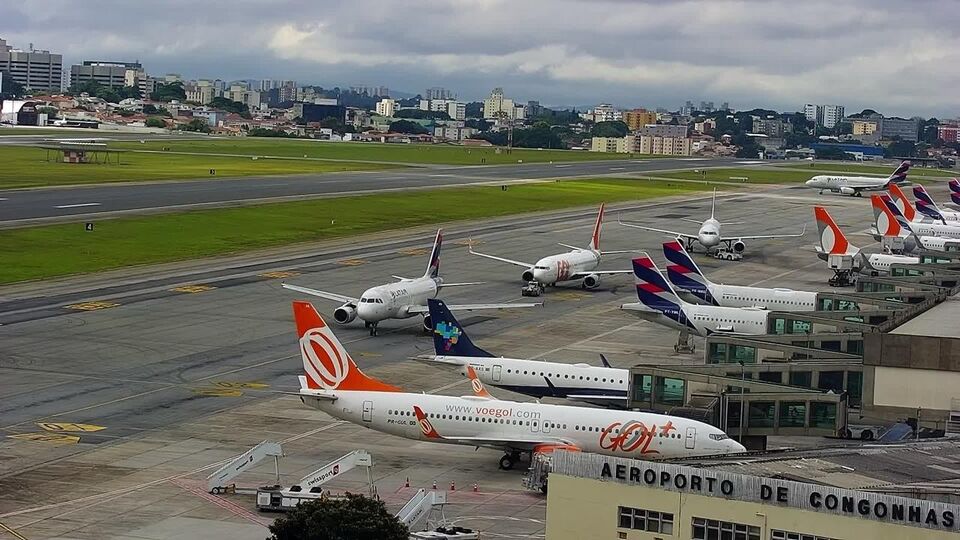
Live stream from an airport — example
A live wide shot of the apron shows aircraft on the move, work at the air bridges and the visible weather over the airfield.
Apron and taxiways
The current wide view of the apron, the stands and aircraft movement.
Content that lasts
An airport creates living content by itself: flights, aircraft types, lighting, weather and traffic intensity all change. Viewers may stay with such a stream for a long time, discuss what they see and share the link with fellow aviation enthusiasts.
Highlights from the archive can be used in airport news and on social media: the first flight on a new route, the arrival of an unusual aircraft, a beautiful sunset or the airfield at work during a snowfall. Recordings must be checked for sensitive information before publication.
Security and limitations
Airport security matters more than an attractive shot. Do not publish close-ups of checkpoints, screening areas, service entrances, security systems, documents, control screens or any activity that belongs to restricted procedures.
Decide who is responsible for access to the camera and the archive, use a separate account with limited rights, and check regularly that the camera has not shifted after maintenance or strong winds.
Whenever in doubt, keep the questionable part of the site out of the frame. Legal requirements, aviation security rules and internal regulations take priority over a public stream.
Frequently asked questions
Which airport views may be shown online?
An approved wide shot of the runway, the apron, the terminal facade, the parking lot or the weather is suitable for a public stream. Restricted and operational areas must not be shown.
Does a stream suit a small airport or airfield?
Yes. An online camera is just as useful to a large international airport as it is to a regional airport, a flying club or a small landing strip.
Can take-offs and landings be shown around the clock?
Yes, provided the chosen field of view is approved by the management and the security service, and the camera and internet connection are built for continuous operation.
Will a camera help judge the weather and how busy the airport is?
A wide shot visually shows precipitation, cloud cover, visibility and traffic intensity, but it does not replace official meteorological data, the timetable or information from air traffic services.
Why do viewers find airport streams interesting?
Viewers are drawn by aircraft movement, rare aircraft types, changing weather and the non-stop life of an airport. Aviation enthusiasts, travelers and local residents watch such streams for a long time.
Is a separate video server required?
No. Given an accessible RTSP stream,
rtsp.me takes the video from the IP camera and delivers it to viewers through the browser without a separate local media server.
Show the life of your airport live
Connect a safe public field of view, place the player on your website and build an audience of aviation and travel enthusiasts around the stream.
Connect a camera
 LIVE
LIVE