 LIVE
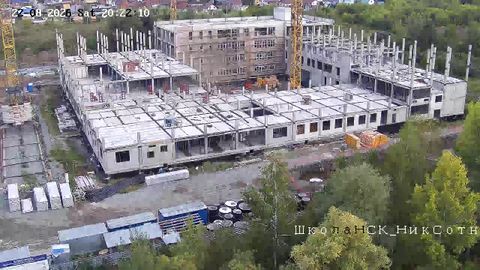
LIVEWide shot of the site
The current situation and activity on site
rtsp.me turns the video stream of an existing IP camera on site into a live stream you can open in a browser on a computer, smartphone or tablet.
Set up private viewing for the client and contractors, or put a public camera on the website of the residential development — with no media server of your own.
Connect a construction cameraThe project manager, the client or the control team can open the camera in a browser and see the overall situation on site without traveling there every time. Video helps you judge the current stage, activity in the working areas and what has changed during the day.
Cameras from several sites can be gathered in one account. That suits developers and contracting firms running construction in different districts or cities at the same time.
Live monitoring complements reporting and communication between the parties to the project, but it does not replace construction supervision, technical inspection, as-built documentation or on-site acceptance of the works.
Flat buyers and investors want to understand how the project is developing after the contract is signed. A public webcam lets them see the site for themselves and follow the changes visually.
The stream can be embedded on the website of the residential development, next to the news, photographs and progress reports. The camera shows a current wide shot, while regular reports explain the stages completed and the work still to come.
An open camera makes communication more transparent and gives the buyer another way to keep track of the property from another city or region.
Construction sites often already run IP cameras for security and surveillance. If a camera supports RTSP and offers a suitable wide shot, its stream can be connected to rtsp.me.
Live viewing needs no separate video server, capture card or permanently running computer. The service takes the RTSP stream and delivers it to users in a format compatible with modern browsers.
Mount the camera at a stable point overlooking the key part of the site, and allow for the building growing in height, for lighting, weather conditions and network availability.
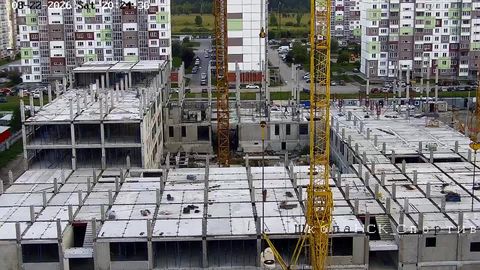
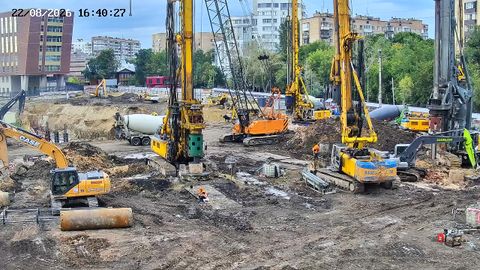
Different fields of view show the overall look of the site, the current stage of the works and the visual progress of construction.
LIVEThe current situation and activity on site
 LIVE
LIVEVisual oversight of changes and progress
 LIVE
LIVEA field of view for the client, the contractor and buyers
The service suits both a public stream on the developer's website and internal remote viewing.
Choose a camera overlooking the area you need and check that its RTSP stream is accessible. Then:
For each camera you can pick the publishing scenario that fits: open viewing, password-protected access, or showing the player only on an allowed domain.
The field of view depends on the project stage, the size of the site and what users need. Cameras can show:
A single wide shot is not enough for detailed oversight of concealed works, material quality or compliance with technical procedures: those tasks call for qualified specializts and the control procedures laid down for the project.
Buyers are usually shown a wide shot of the site with no sensitive detail. For the office and the parties to the project you can create private streams from other cameras, where that fits internal rules and security requirements.
Separating access lets one system serve both marketing transparency and operational oversight, without exposing internal information to every visitor to the website.
Cameras give visual context to schedules, reports and meetings. A manager can glance at the site before a status discussion and compare the situation across several developments.
Private viewing helps coordinate the parties involved, judge whether working areas are accessible and see overall progress. Decisions about the quality and compliance of the works are made on the basis of the established documentation and professional supervision.
The cloud archive lets you go back to the recording for a given date and see how the site changed. Video complements photo reports, helps reconstruct the overall sequence of events and builds a clear visual history of the construction.
The retention period is chosen according to the needs of the project and the rules for processing video data. Access to internal recordings is granted only to authorized users.
rtsp.me checks that connected cameras are available and notifies you on signal loss. That is particularly useful on remote sites and for public streams that have to keep running without constant manual checks.
A public field of view should not reveal secured areas, access arrangements, documents or identifying close-ups of workers. Camera placement and the handling of recordings must comply with the site's internal requirements and with applicable law.
Connect an existing IP camera for remote monitoring from the office and a public stream on the development's website.
Give the parties to the project and buyers easy access to a current wide view of the construction site.
Connect a construction camera