Live streams of services and sermons
rtsp.me lets you set up a live stream from a church, mosque, synagogue, meeting house or community center using an existing IP camera.
Services, masses, sermons, prayers and festival events can be watched in a browser on a computer, smartphone or tablet, with no separate app needed.
Set up a streamFor those who cannot attend in person
Older people and those with limited mobility, members who are unwell, people living in other towns and anyone temporarily far from their community cannot always be present at an event in person.
A live stream helps them hear the sermon, watch the service or join a prayer meeting and keep their connection with the community they know.
Watching online is no substitute for being there and for fellowship, but it does make public events more accessible to people who find it hard to reach the venue.
For faith communities of every kind
The technology is not tied to any one faith and suits Christian, Muslim, Jewish and other religious organizations. Each community decides for itself which events may be shown and who is given access.
- services and liturgies;
- masses and festival services;
- sermons and spiritual talks;
- prayer meetings;
- Friday and Sabbath services;
- lectures and study meetings;
- festival and memorial events;
- public events held by the community.
Before publishing, it is important to consider tradition, internal rules, the consent of those taking part and whether filming a particular event is appropriate at all.
Examples of live streams
A single camera can show a wide view of the venue, the altar or central area, the pulpit or the space used for speaking. The field of view is chosen with the format of the event and the community's rules in mind.
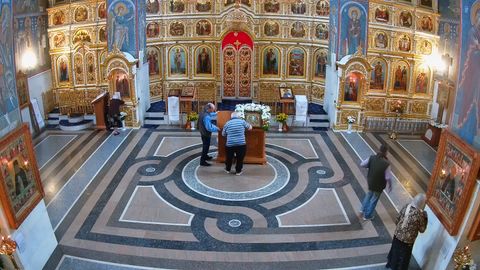
Service and communal prayer
A wide view of the space for those taking part remotely
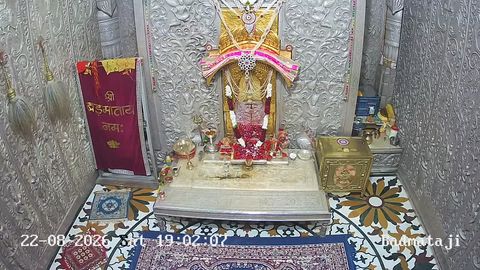
Sermon or spiritual talk
A stream of the address for members of the community
Use the camera you already have
If the building already has an IP camera that supports RTSP and has a suitable field of view, it can be connected to rtsp.me without buying a separate video server, a capture card or a computer that has to stay switched on.
For a stream to be worth watching, clear sound matters most of all. Before going live, check whether the source stream carries a compatible audio track, whether the microphone is in the right place and whether speech, readings and music can all be heard well.
A complex multi-camera broadcast, switching between shots, captions and professional sound mixing may call for separate equipment and an operator.
What rtsp.me gives you
The service takes an RTSP stream and makes it available through a modern browser or a player on the organization's website.
- AccessibilityViewing on a computer, smartphone and tablet
- CamerasConnect the RTSP IP cameras you already have
- ViewersSeveral people can watch at the same time
- WebsiteHTML code to embed the player on the community's page
- ProtectionRestrict viewing by password or domain
- ArchiveKeep recordings of events that may be published
- MonitoringCamera checks and alerts on signal loss
- SitesManage several cameras from one account
How to start streaming
Choose a camera with a suitable wide view, check the picture and sound quality, then:
- Register on rtsp.me.
- Add your IP camera in your account.
- Enter the RTSP link for the video stream.
- Wait for the automatic camera check.
- Get the link or HTML code for your website.
The organization chooses between public viewing, protected viewing or showing the player only on an allowed domain.
Public and restricted streams
A public service or lecture can be placed on your website and made available to anyone who wishes to watch. For internal meetings, events with a limited group of participants or streams intended only for members, protected access can be set up.
A link is convenient to send round, while an embedded player lets viewers watch the event on the religious organization's own website.
Privacy and respect for those present
It is better to point the camera at whoever is leading and at a wide view, avoiding identifiable close-ups of those present without the consent the situation calls for. You need to take account of internal norms, sacred spaces, the nature of the rite and the applicable requirements for handling video data.
Archive and monitoring
An archive lets you keep a sermon or public event for those who could not join at the time. Monitoring from rtsp.me helps you spot a signal loss early and get the camera working again before the next stream.
Frequently asked questions
Make your community's events more accessible
Connect an IP camera you already have and help older people, those with limited mobility and members far from home watch services, sermons and public meetings.
Set up a live stream with no media server of your own and no separate app for viewers.
Create a live stream