 LIVE
LIVESales floor
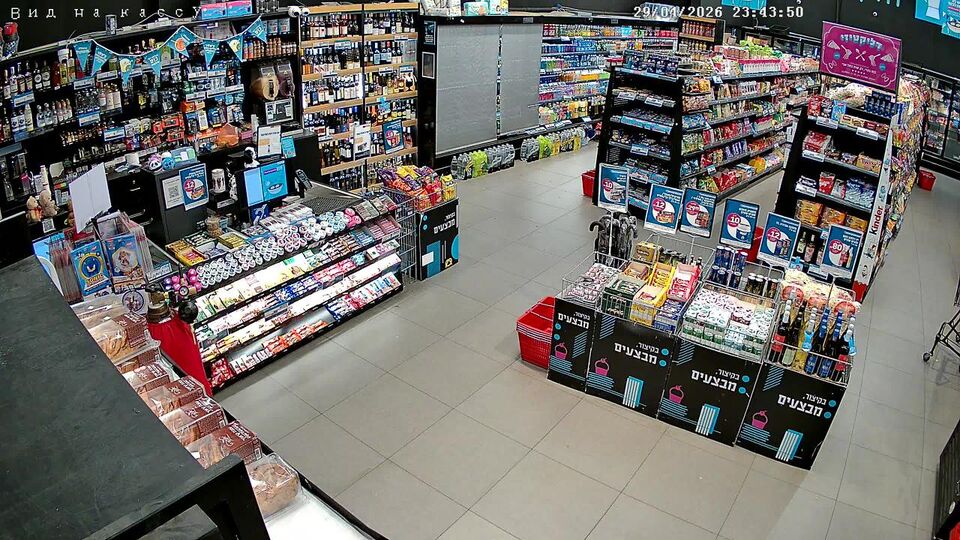
The current wide view of the floor and the checkout area.
rtsp.me connects the shop's existing IP cameras and brings them together for remote viewing. The manager sees the entrance, the sales floor, receiving and the branches, and a specially prepared stream can be embedded in the website.
Video gives up-to-date visual context: the queue at the entrance, the work of an outlet or the dressing of a window display. It does not determine stock levels, prices or the availability of a particular item — that information comes from the shop's inventory system.
Connect your shop camerasA safe wide field of view can show the shop opening, a seasonal window display, how busy the entrance is or a demonstration area. The customer gets a live impression, but goes to the catalog or contacts the shop for availability and orders.
The owner sees whether opening hours are kept, the state of the merchandising, the queue and the receiving processes. Several branches in one account cut the time spent connecting manually to different recorders.
A promotional stream and security surveillance must not be one and the same stream: the public field of view is prepared separately, while the checkout area, the stockroom and the service areas stay closed.
Suitable IP cameras with accessible RTSP can be connected to rtsp.me without replacing the whole infrastructure. Check the codec, the network and the field of view: faces, receipts, payment terminals and till screens must not be legible.
A separate local media server is not required, but stability depends on the camera's power supply and the shop's outbound internet connection. Poor lighting, glare and physical obstructions have to be dealt with on site.
Test mobile viewing, put up video surveillance notices and review staff access regularly.
Do not publish the checkout area, terminals, receipts, documents, inventory screens or detailed security views. For customers, choose a scene that is useful without identifying particular people.
A live wide shot of the floor shows the merchandising, how full the shelves are and the queue at the till without traveling to the outlet.
LIVEThe current wide view of the floor and the checkout area.
An archive helps you check the opening, a delivery and the circumstances of an event in a visible area. It complements till and stock records, but it does not confirm what was bought or how much stock remains.
Monitoring by rtsp.me notifies you if a stream is lost so that the person responsible can check the network and the power supply. This is not a security alarm and not an emergency response service.
Establish your legal basis, notify visitors, set a retention period and limit staff by role. Do not use a camera to profile people without justification, and do not promise continuous recording when the source fails.
Connect the existing cameras of your outlets and gather entrances, sales floors and receiving areas in one account you can reach through a browser.
Prepare a separate, safe field of view for customers, and leave prices, availability and orders to your inventory system.
Connect your retail chain