 LIVE
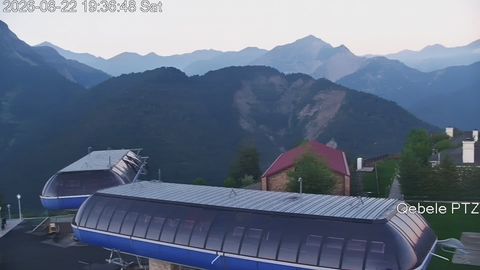
LIVESki slope
A wide view of the piste, the snow cover and the weather
A live stream helps a guest see the actual visibility, the snow cover and how busy the key areas are before choosing which day to travel, which piste to ski or when to arrive.
rtsp.me takes the stream of an existing IP camera and makes it available in the browser and on the resort's website, with no separate media server.
Connect resort camerasA still photograph does not show fresh snow, the fog rolling in right now or the queue at the bottom station. A live camera gives a guest a current wide shot and helps them match expectations against the real conditions.
The stream can sit next to the piste descriptions, the lift timetable, the prices and the ski pass purchase form. The purchase, the booking and the display of the official piste status are handled by the resort's own website or information system.
For the management it is a permanent information channel; for a guest it is a convenient way to judge the visible conditions without ringing the information desk.
The most useful shots are wide ones that make the weather and the general level of activity clear, without letting anyone study individual visitors close up. A large resort can run separate streams for separate areas.
The set of cameras is chosen around the site's own needs: public fields of view inform guests, while private streams stay available to staff only.
Wide-angle cameras show the state of the pistes, the visibility and the current conditions in different areas of a ski resort.
LIVEA wide view of the piste, the snow cover and the weather
 LIVE
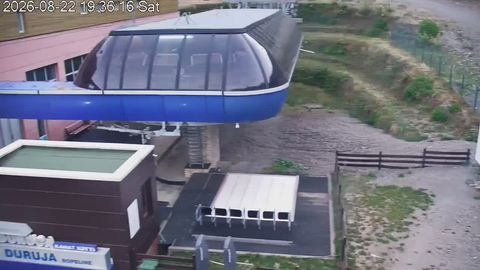
LIVECurrent conditions at the station and how busy the boarding area looks
The service brings together publishing, viewing and oversight of the cameras at a single resort or across a group of sites.
Before connecting, check that the RTSP stream is reachable, choose an informative field of view and decide whether the camera will be public or private.
Once connected, viewers open the video in any modern browser, while staff can keep an eye on the camera's availability through the service.
A live view confirms that the resort is open, shows the real seasonal landscape and helps a guest plan a trip with more confidence. Streams are especially valuable after a snowfall, in changeable weather and on busy days.
The camera link can be used on the website, on social media and in information updates. A visitor gets a clear visual reference alongside the prices, and the support team answers fewer repetitive questions about visibility and queues.
For a group of resorts or several slopes, individual cameras make a clear showcase of the sites. Commercial transactions stay in the resort's own system, and the player simply adds a current picture to them.
The cloud archive lets you go back to a period you choose, compare the state of the slopes across the day or check the circumstances of an event within the camera's field of view. The retention period is chosen with your working needs and the rules on handling video data in mind.
rtsp.me checks that the connected stream is available and notifies you if the signal is lost. That makes it easier to spot quickly that a public camera has stopped sending a picture.
Monitoring confirms that a signal is present, but it does not replace maintenance of the camera, the network, the power supply and the equipment on site.
A public camera is pointed at a wide shot of the slope or a panorama, keeping tills, back-of-house rooms, screens, private areas and identifying close-ups of visitors out of frame. Access to working fields of view is restricted with a password or a domain.
Where cameras are placed, how visitors are notified, how long recordings are kept and who can reach the archive must all comply with the applicable requirements on surveillance and personal data. Permission to view the archive is granted only to the staff who genuinely need it.
Connect your existing RTSP cameras and put live views of the snow, the pistes and the lifts on your website.
Give visitors a useful, factual picture, and give the resort team a single way to publish and oversee the streams.
Create a resort stream