 LIVE
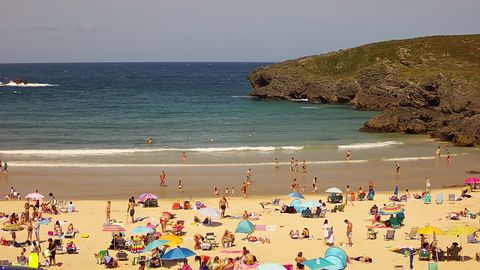
LIVEBeach and sea
The current weather and conditions on the shore
rtsp.me turns the video stream of an existing hotel or resort IP camera into a live stream that can be watched in the browser on any device.
Place a live sea view on your hotel website without buying expensive equipment, running a separate video server or working through a complicated streaming setup.
Connect your hotel cameraPhotographs show a hotel at a flattering moment, whereas an online camera shows the real conditions right now. A future guest can see the sea, the beach, the cloud cover, the waves and the general atmosphere of the resort before booking or setting off.
A stream is especially useful for beachfront hotels, health resorts, RV parks and resort complexes. Live video helps you show the property's main advantage — its location right by the sea.
The player can go on the home page, in the section about the beach, next to the description of rooms with a sea view, or on a dedicated webcam page.
Many hotels and beaches already run a video surveillance system. If the IP camera supports RTSP and its field of view is suitable for public display, the existing stream can be connected to rtsp.me.
There is no need to buy a separate camera for streaming, a hardware encoder, a capture card or a permanently running computer. The service takes the RTSP stream and delivers the video to viewers through the browser.
For a public stream it is better to use a panoramic wide shot of the sea and the beach that does not show room windows, private areas or close-ups of holidaymakers.
Several fields of view let guests judge the sea, the beach, the weather and the overall atmosphere of the resort before booking.
LIVEThe current weather and conditions on the shore
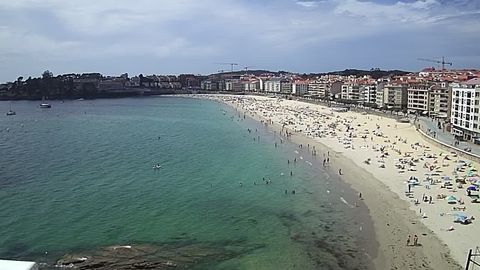 LIVE
LIVEVisibility, waves and the state of the shoreline
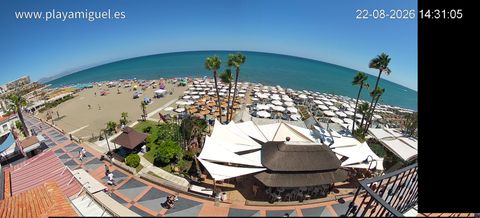 LIVE
LIVEA live view of the resort area for future guests
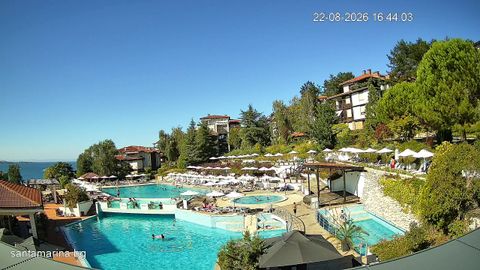 LIVE
LIVEA wide shot of the sea and the surrounding area
A single service brings together viewing, publishing and oversight of the cameras of one hotel or of several resort sites.
Before publishing, pick a camera with a good view of the sea or the grounds and check that its field of view is suitable for open access. Then:
Once connected, the stream opens in a modern browser with no special application to install.
Cameras at a seaside resort help guests judge the current conditions and picture their holiday spot in advance:
To judge whether it is safe to swim, guests must rely on official warnings, flags and the instructions of the lifeguard service: a camera image is no substitute for that information.
A live stream builds trust in the property description and helps confirm how close the sea is, the state of the grounds and the real view. The guest gets an up-to-date picture, and the hotel gains a substantial part of its website that people return to before their trip.
The camera link can be shared on social media, in pre-arrival emails and in resort materials. One player works on computers and on mobile devices.
Cameras from different sites can be gathered in a single account. Each hotel gets its own stream, link and access mode.
The panoramic sea view can be opened to every visitor of the website, while cameras covering service areas stay closed. Access to internal streams is limited by password or by allowed domain.
A cloud archive lets you look back at how the weather, the state of the sea and the use of the grounds changed over the course of the day. Recordings can also help the management review events in the open parts of the property.
The retention period is chosen according to the hotel's needs and the rules for processing video data. Access to the archive is granted only to authorized staff.
rtsp.me keeps track of the connected camera and notifies you if the signal is lost. That helps you restore the public stream in good time instead of checking it by hand every day.
The camera should be pointed at a wide shot of the beach, the sea or the grounds, avoiding private areas and identifiable close-ups. The placement and use of video surveillance must comply with the applicable requirements on notification and the processing of personal data.
Connect an IP camera you already have and add a live view of the beach, the sea or the resort grounds to your hotel website.
Create a live stream without buying expensive equipment or running a media server of your own.
Connect a camera by the sea